This tutorial explains how to import scores created in other music notation software or ABC notation files into ScoreTail.
ScoreTail supports the following score file formats.
| Extension | Format | Description |
|---|---|---|
.musicxml / .xml | MusicXML | Uncompressed MusicXML file |
.mxl | MusicXML (compressed) | Compressed MusicXML file (ZIP format) |
.abc | ABC notation | ABC text notation format |
MusicXML is a standard format for exchanging music data between notation software. You can export from most notation apps including MuseScore, Finale, and Sibelius.
You can export MusicXML from and import into ScoreTail from these notation apps:
MXL (compressed MusicXML) has a smaller file size and uploads faster. If your software supports MXL export, we recommend using it.
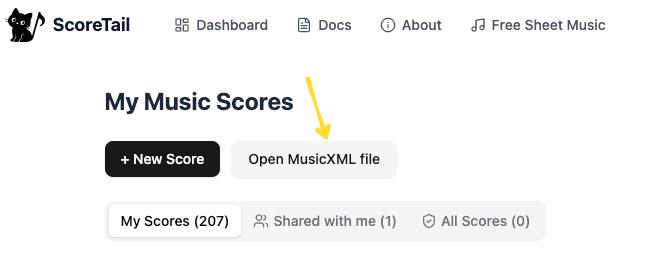
ABC notation is a simple text-based format for representing music. It's widely used in traditional and folk music communities.
X:1
T:Twinkle Twinkle Little Star
M:4/4
K:C
L:1/4
CCGG|AAG2|FFEE|DDC2|
| Header | Meaning | Example |
|---|---|---|
X: | Reference number | X:1 |
T: | Title | T:My Song |
M: | Time signature | M:4/4 |
K: | Key signature | K:C |
L: | Default note length | L:1/4 |
ABC files can be created with any text editor. Files starting with "X:" or "%abc" are automatically recognized as ABC format.
ScoreTail comes with a built-in sample score. It's a great way to test the import workflow and get familiar with the editor.
Imported scores can be edited with all of ScoreTail's features.
Freely add, modify, or delete notes in the imported score.
Share the score and edit together with others in real time.
Export your edited score as MusicXML to use in other software.
